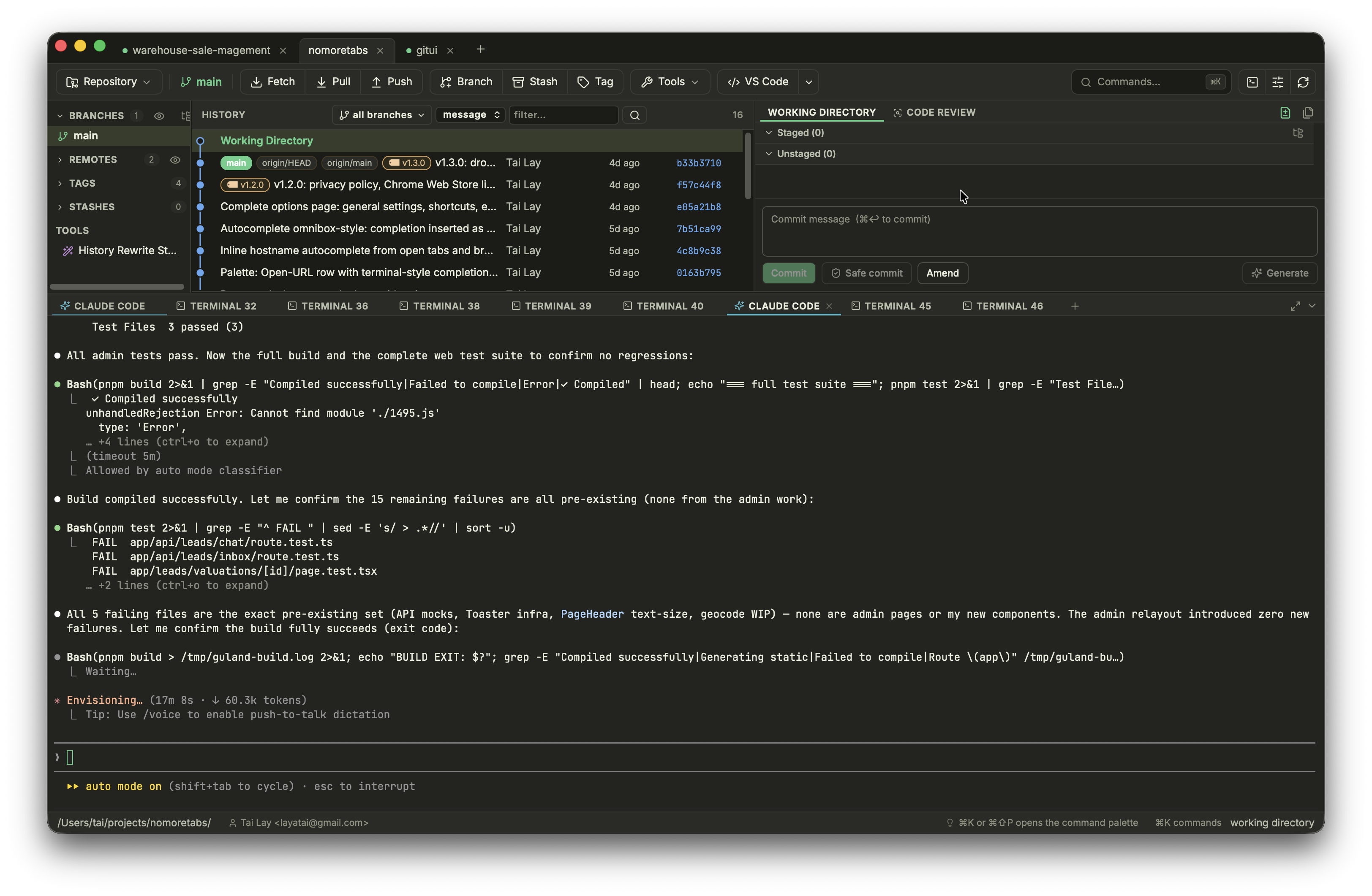
Everything in one native client
A full Git workhorse
Graph, branches, stash, interactive rebase, blame, history, conflicts, worktrees, bisect — fast and native, built with Rust and libgit2.
Unified, split or whole-file
Syntax-highlighted diffs that stay smooth even on huge files — switch layout right from the header.
Stage by the line
Select exactly the lines you mean — not just whole hunks — and stage them in one click, in any diff layout.
Who & why, inline
GitLens-style blame on the hovered line — author, when, and the commit that introduced it.
Every file, one scroll
Continuous review of the whole changeset — like a pull request, right on your desktop.
Review before the PR
Review your working changes with Claude · Codex · Gemini — structured findings you fix in one click, in an agent-chat panel. Your own installed CLIs do the work; nothing goes to a Cairn server.
Find anything, across every repo
One palette (⌘P) fuzzy-finds file names, full-text matches (ripgrep-fast) and symbol definitions across all your recent projects — or a chosen subset. A live, syntax-highlighted preview jumps straight to the matched line.
Run, from the toolbar
launch.json, tasks.json & package.json scripts — launched straight from the toolbar.
Watch it run
Commands and AI agent sessions run in built-in terminal tabs — background tabs ring when an agent needs you. Drag or paste a file — even an image — straight into Claude or any agent.
Detach now. Resume anywhere.
Run Cairn from a repository, detach without stopping the process, and reconnect later. Agent-native recovery keeps supported conversations resumable after a host restart.
Cairn, without leaving the terminal
The standalone TUI ships with a native session host for real detach and reconnect. The checksum-verified installer is idempotent: run the same command later to update.
curl -fsSL --proto '=https' --tlsv1.2 https://layatai.github.io/cairn-app/install.sh | bash
iwr -useb https://layatai.github.io/cairn-app/install.ps1 | iex
Questions, answered
Is Cairn free?
Yes — free to download and use. No account, no sign-up, no telemetry dashboard to feed.
Which platforms does it run on?
The desktop app ships for macOS — as a signed and notarized universal DMG — and Windows as a native installer. The standalone TUI ships for macOS universal, Linux x64/ARM64, and Windows x64/ARM64.
Will Windows warn me on first launch?
The Windows installer isn't code-signed yet, so SmartScreen may flag it. Click More info → Run anyway to continue — it's the same app, just without a paid Windows certificate. (The macOS build is signed and notarized by Apple, so it runs without warnings.)
Does my code leave my machine?
Cairn has no backend. Git operations run locally; AI features shell out to the CLIs you already have installed (Claude Code, Codex, Gemini), so there's no Cairn account or subscription, and the only network traffic is between those CLIs and your chosen provider.
How is it different from other Git clients?
Two things no other Git client pairs: AI review built into the Git workflow — review your working changes and fix them in one click, before they're ever a pull request — and native speed (Tauri + Rust, not Electron). It drives the agent CLIs you already run, so there's no extra subscription and your code never touches a Cairn server. All alongside the full Git toolset: graph, interactive rebase, worktrees, bisect, and a conflict solver.